I’ve been vibe coding a project lately. The frontend was pretty ugly at first — my blog too, actually. It’s not that I don’t know what looks good and what doesn’t, but fixing things bit by bit is still kind of hard. Luckily, OpenAI just released Image-2, along with GPT 5.5. Though other models work fine too — so far, 5.5 gets you maybe seventy to eighty percent of the way there.
1. If It’s a Brand-New Project
Here’s the approach: first give your vibe coding tool a description of the project, then have the AI list out all the pages, and write a description document for each page’s features, and drop those in a folder (call it ui-pages or whatever you like).
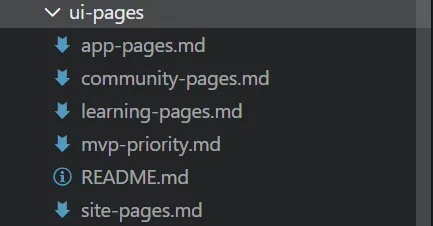
Then take each page’s description document and paste it into Codex, or the official GPT site, to generate a reference image.
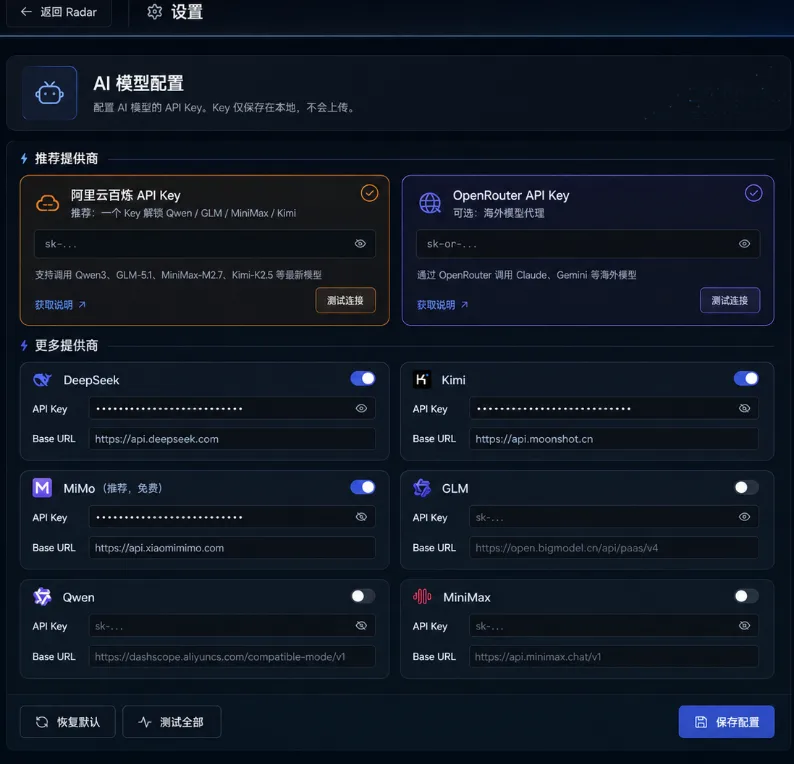
The image above is what image-2 generated. As you can see, it’s still really beautiful.
After that, whenever you need to actually build the page, you can just throw the reference image over to Codex, or Claude Code, or whatever else.
What if you’re still not happy with what it generates?
First, you can describe the parts you’re unhappy with. Second, there’s a little trick: you can have image-2 put several different options into a single image, and then pick the version you like best.
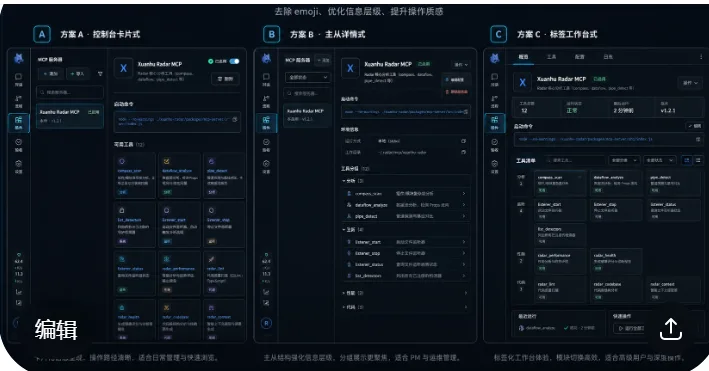
Then you can have GPT generate a separate, standalone interface for the page you liked.
2. Projects Where the UI Is Already Mostly Done
For this kind of project, if you’re not happy with the frontend, you can just screenshot the current result and send it to the official GPT site or to Codex. But I’d still recommend Codex — if you use the GPT site, the page it generates might have some buttons for features that don’t exist in the current project at all.

Once the image is generated, just throw it at GPT 5.5, or Claude, or GLM, and get to work.